TeamZap / HR software for retail
Retail HR software that keeps every shift organised.
Saturday cover to arrange. Seasonal starters to get ready. Staff hours to check before payroll. TeamZap brings your retail team's rotas, attendance, annual leave, messages and employee records into one HR platform. Staff use their phones to clock in and manage everyday requests, while you approve changes and keep the trading week organised.
Free during our introductory period. No payment card required. If we introduce pricing, we will tell you well in advance.

NFC & mobile attendance
Clock in at the staff entrance. Get on with the trading day.
An early delivery, a busy opening or a late stocktake can make the working day different from the rota. Give staff a simple way to record when they actually work.
Place an activated square NFC sticker at your staff entrance. Employees tap it with a compatible phone, open the clock page and confirm. They can also clock in and out through the TeamZap app and record their breaks. Managers review the recorded starts, breaks and finishes before approving timesheets.
Explore Attendance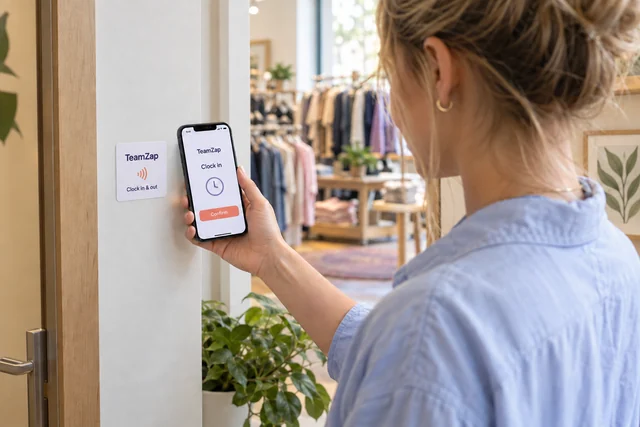
Rota planning & open shifts
Plan the trading week. Keep cover changes organised.
Build your store rota from a previous week or shift templates, then adjust the times, people and roles for opening, deliveries, busy periods and closing. As you add or change shifts, TeamZap checks for issues such as overlapping shifts, approved leave and rest periods.
When a Saturday shift needs cover, post it as an open shift for staff to view and claim in the app. Review the claim before confirming the assignment. Staff can also request swaps for manager approval. The published rota gives everyone a place to check their agreed shifts.
Explore Rota & Scheduling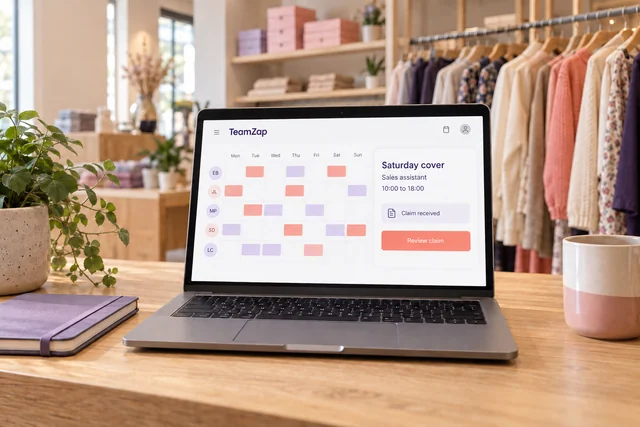
Employee records & onboarding
Get seasonal starters organised before the rush.
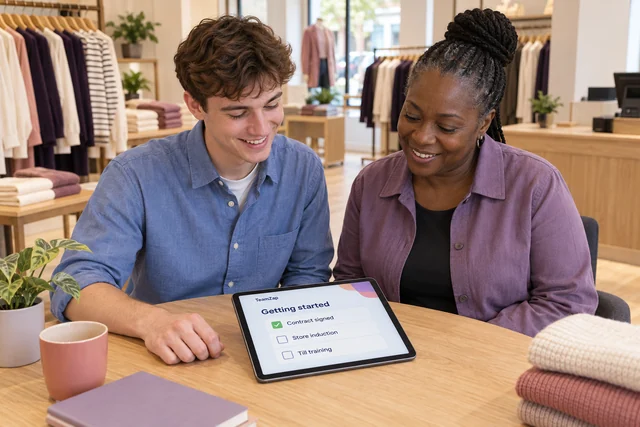
Several new people joining at once should not mean several different paperwork trails. Create or import employee records, review missing profile information and assign the documents each person needs.
Prepare contracts and policies from templates, request electronic signatures and follow the outstanding paperwork. Use an onboarding checklist for your store induction, till training and other joining tasks. Managers can see recorded progress and follow up before the next busy trading period.
Explore Employee ManagementMessaging & workplace routines
Help the weekend team catch up before their next shift.
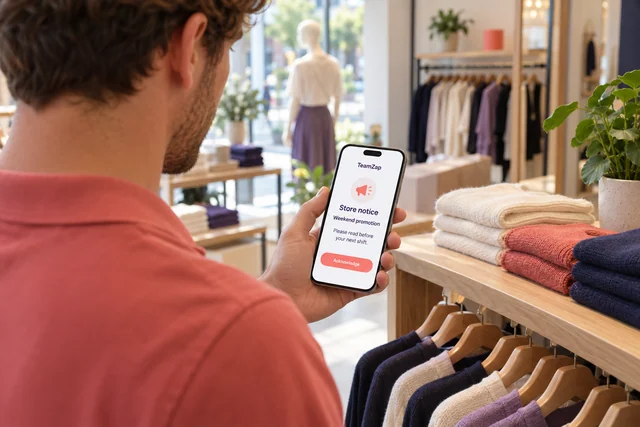
A promotion changes on Wednesday. Some of your team will not be back until Saturday. Publish a store notice they can find in TeamZap, with acknowledgement where a response matters. Managers can review who has acknowledged it and who still needs a follow up.
Keep everyday conversations in direct and group messages. Share notices with one store or the wider business, and assign opening or closing checklists for the routines your team needs to follow. Staff have a place to find the update, while managers can review recorded responses and task progress.
Explore Messaging & NoticesAnnual leave & staff requests
Give holiday requests a clear route from request to decision.
Staff can check their recorded annual leave entitlement, leave used and remaining balance, then request dates from their phone. The request and decision stay in TeamZap, so both sides have a record to refer to.
When several people want the same weekend off, review the leave calendar and individual balances before deciding. Approved leave is included in rota checks when you add or change shifts. Use the rota and open shifts to arrange any cover you decide the store needs.
Explore Leave Management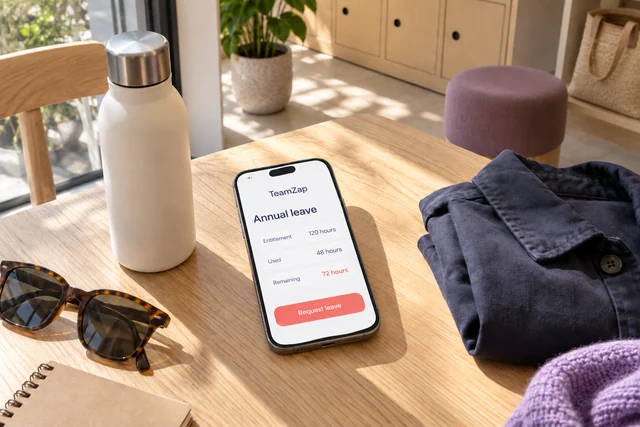
Timesheets, reports & payroll preparation
Understand the staff hours behind your wage bill.
A stocktake ran late. An employee covered an extra shift. Review recorded attendance and breaks against the rota, resolve discrepancies and approve the timesheets before preparing the payroll export.
Use attendance and labour cost reports to review the period by location and role. If you operate several stores, location reporting helps you identify where to look more closely. Export the relevant figures or arrange supported scheduled report delivery for your regular management review.
Explore Reports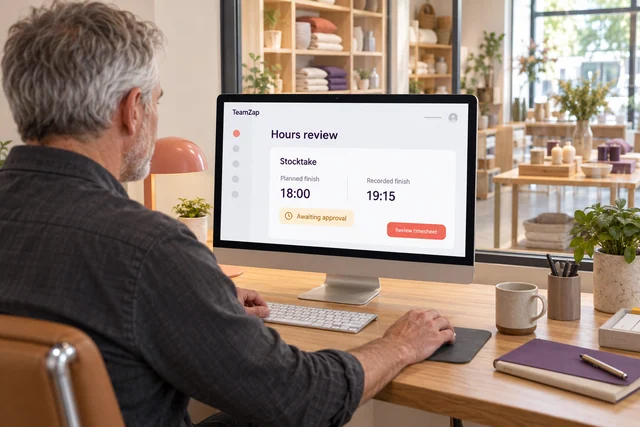
I need cover for Saturday. How can staff offer to take the shift?
Post an open shift in TeamZap. Staff view it in the app and submit a claim, which a manager reviews before approving the assignment. For an exchange between colleagues, staff can request a swap for approval. You decide whether the arrangement meets the store's needs.
Can I plan shifts around deliveries, late opening and stocktakes?
Yes. Set the times and role for each shift, then assign employees. Copy a previous week or use templates as a starting point and adjust the plan for that trading week. TeamZap checks for scheduling conflicts as shifts are added or changed. You decide how many people and which roles the store needs.
How can I check attendance when staff use their own phones?
Employees record their starts and finishes through an activated NFC sticker or the mobile app. Review recorded times and breaks in their attendance records. Where phone location is available, the Geofence report adds the inside, outside or not checked result. This helps you investigate a record; it does not prove who was holding the phone.
Someone stayed late to finish a stocktake. Can I review those hours before payroll?
Yes. Compare the recorded finish and breaks with the planned shift, resolve any discrepancy and approve the timesheet. Reviewed hours feed payroll preparation and export. Employee payments and statutory filing remain part of your payroll process.
We are hiring several Christmas staff. How do I track their paperwork?
Create or import employee records, assign the relevant document packages and request signatures. Use onboarding checklists to organise the joining tasks for each person. Review signature status, missing profile information and checklist progress to see what needs following up.
How do I know whether weekend staff have acknowledged a store update?
Publish a notice requiring acknowledgement and review the recorded responses in TeamZap. You can identify outstanding acknowledgements and follow up with those employees. Direct and group messages are also available for the conversations around the update.
Can staff check their holiday balance without asking the manager?
Yes. Staff can check their recorded entitlement, leave used and remaining balance in the app when preparing a request. Managers review the request, balance and leave calendar before approving or declining it.
Can I keep rotas and labour reports organised for more than one shop?
Yes. TeamZap supports locations within one account, with rotas and reporting by location, subject to account allowances. New accounts start with one location during the introductory period. Contact TeamZap to discuss additional stores.
Can I record till training and other staff qualifications?
Yes. Keep courses, sessions, qualifications, certificates and relevant expiry dates in TeamZap. Use the training matrix to review recorded progress and identify information that needs attention. Managers decide what training each role needs and assess whether someone is ready for the work.
A team member bought supplies for the shop. Can they send in the receipt?
Yes. Staff can submit an expense claim with a receipt photo for a manager to review and approve. The claim keeps the purchase details and supporting receipt together. Approval records the decision; reimbursement remains part of your payment process.
What can shop staff do in the TeamZap mobile app?
Staff can check published shifts, clock in and out, record breaks, request annual leave, view open shifts, request swaps, and read messages and notices. They can also complete assigned checklist items. Managers retain the approval steps for leave and shift changes.
One HR platform for your retail team
Make the next trading week easier to manage.
Bring your rota, clocking records, staff requests and store updates into one HR platform. Give employees a clear place to check their shifts, and give managers an organised way to handle the decisions behind them.
Create your free accountFree during our introductory period. No payment card required. If we introduce pricing, we will tell you well in advance.