TeamZap / HR software for cleaning companies
You cannot be at every site. Start with a clearer attendance record.
When teams arrive before offices open or after everyone has left, attendance questions are harder to resolve from messages alone. TeamZap is an HR platform for cleaning teams, bringing mobile clocking, geofencing, rotas, site updates and mileage claims together. Staff record their working day. Managers review the information in one place.
Free during our introductory period. No payment card required. If we introduce pricing, we will tell you well in advance.
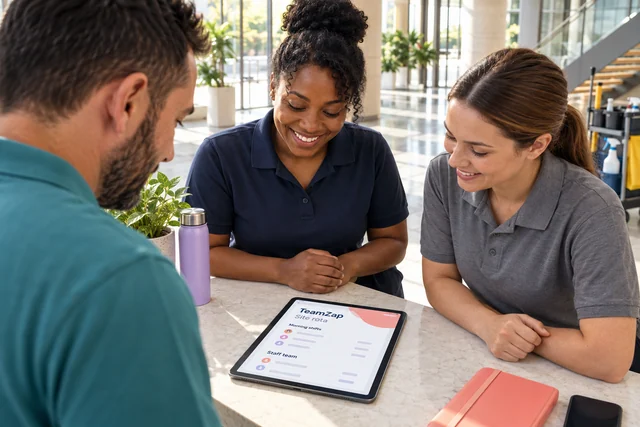
Location context at clock in
A workplace boundary makes location easier to understand.
A geofence is a virtual boundary around a workplace. Set the client's site location and a radius around it. When a member of staff clocks in, TeamZap compares the available phone location with that boundary.
The Geofence report shows inside, outside or not checked. Review that result alongside the attendance record. An outside result does not block a clock in, and a missing location result needs follow up rather than an assumption.
Explore Attendance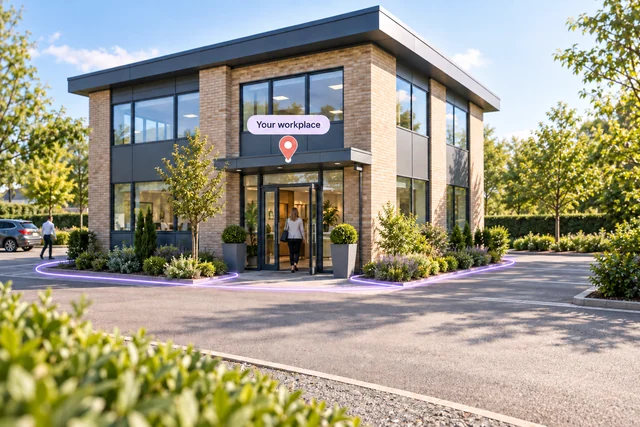
Mobile clocking & square NFC stickers
Give each arrival and finish a consistent routine.
Staff can clock in and out and record breaks in the TeamZap app. At a suitable workplace entrance, an activated flat square NFC sticker offers another route: tap with a compatible phone, open the clock page and confirm.
Recorded starts, finishes and breaks give managers a timesheet to review against the planned shift. Investigate a discrepancy while the details are available, then approve the record.
Explore Attendance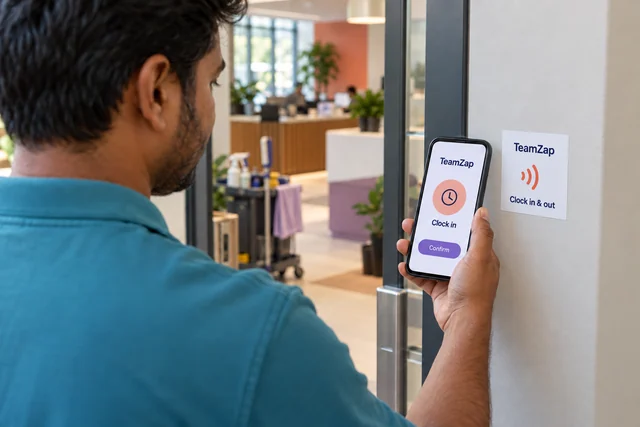
Published shifts & absence cover
Keep the site plan visible when someone is absent.
Build rotas by workplace and role, using shift templates or a previous week. Publish the plan so employees can check their shifts in the app. Scheduling checks flag issues such as overlapping shifts and approved leave as you add or change shifts.
If a colleague cannot work, offer an open shift for staff to view and claim. Review the person and the site requirements before approving the assignment.
Explore Rota & SchedulingChecklists, notices & responses
Put the site routine in the hands of the team doing it.
Assign a checklist around your own site process so staff can follow the steps and record progress. Review unfinished items and follow up with the relevant person.
When instructions change, publish a notice for the appropriate workplace and require acknowledgement where needed. The checklist records task responses; your managers decide the supervision and evidence needed to assess the work.
Explore Checklists & Onboarding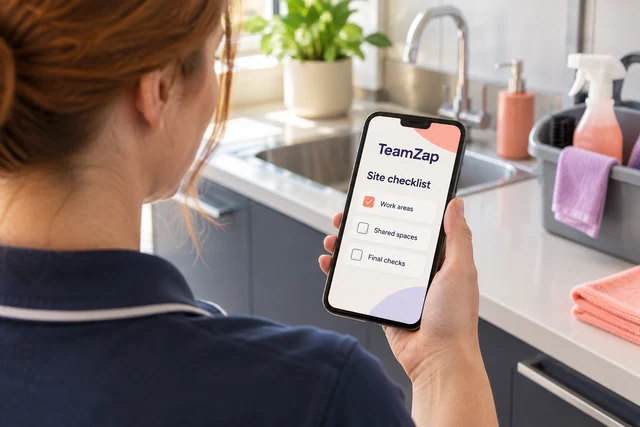
Claim details & manager approval
Give mileage and expenses their own record.
Travelling between workplaces should not leave a claim buried in a message thread. Staff add mileage and relevant details to an expense report, attach receipt photos for applicable expenses and submit the claim.
Managers review the details through the approval workflow. Keep the claim and policy information together, with a clear record of the decision. Approval does not mean a payment has automatically been made.
Explore Expenses & Mileage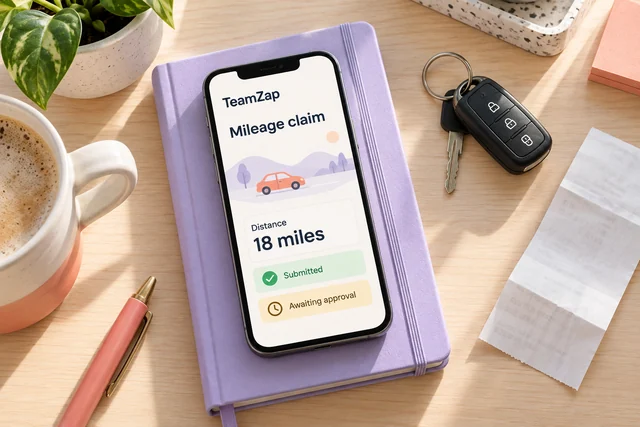
Timesheets, leave & payroll preparation
Carry reviewed hours into payroll preparation.
Compare attendance with the scheduled work, resolve discrepancies and approve timesheets before preparing the payroll export. Use reports by location to review hours and labour costs for the period.
Annual leave requests and recorded balances sit in the same HR platform. Managers decide leave and arrange cover, while employees have a place to check their requests and shifts.
Explore Payroll PreparationThe staff questions behind work at client sites
Questions cleaning business owners ask
Explore all featuresHow can I review whether a clock in was near the client's site?
Set the workplace location and geofence radius. The Geofence report compares the available phone location at clock in and shows inside, outside or not checked. Review this alongside the attendance entry and follow up on exceptions.
Does geofencing stop staff clocking in away from the site?
No. TeamZap records the event and the available location result. An outside or missing result gives managers something to review. Phone location can be imprecise, so assess the information before making a decision.
Do I need a piece of clocking hardware at every workplace?
Staff can record attendance in the mobile app. A compatible phone can also tap an activated square NFC sticker at an appropriate entrance. The sticker is flat and passive, rather than a powered clocking terminal. Sticker availability is separate from the software offer.
A cleaner cannot make an early shift. How can I arrange cover?
Create an open shift with the required role and times. Staff see it in the app and submit a claim. Managers review the person and the workplace requirements before approving the assignment. The software does not automatically select suitable cover.
How do staff find a changed site instruction?
Publish a notice for the relevant location and require acknowledgement where needed. Staff can read it in TeamZap, and managers can review outstanding responses. Use assigned checklists for the routine steps that staff need to work through.
Can staff submit mileage and receipt details together?
Mileage and expense details can be recorded through an expense report, with receipt photos for applicable claims. A manager reviews and approves the claim. Receipt text is not automatically read, and approval does not itself transfer money.
Does clocking in prove the cleaning work was completed?
No. Attendance provides a recorded start, finish and available location context. Checklists record task responses. Managers still decide what supervision, inspection or other evidence is appropriate for the work.
Can I review hours and labour costs by workplace?
Use location reports to review recorded hours and labour costs for the period. Resolve attendance discrepancies and approve timesheets before payroll preparation. Multiple locations are subject to account allowances; new introductory accounts start with one.
Can staff request time off without messaging the supervisor?
Yes. Employees check recorded leave balances and submit dates in the app. Managers review the request and leave calendar, decide it in TeamZap and arrange any cover. Approved leave is checked when shifts are added or changed.
Is the app continuously tracking our staff?
The attendance workflow described here checks available phone location when staff clock in. The geofence result provides context for that recorded event. This is a clocking location check. It does not identify a person, continuously track a route or prove completed work.
One HR platform for your cleaning team
Give every site a clearer staff record.
Start with mobile attendance and location context. Connect the rota, site instructions, leave and claims so your team has a consistent process wherever the working day begins.
Create your free accountFree during our introductory period. No payment card required. If we introduce pricing, we will tell you well in advance.