TeamZap / HR software for pubs & bars
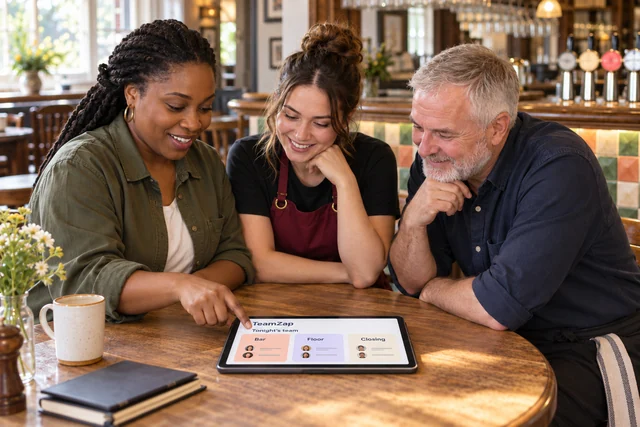
A busy night needs a clear staff plan.
A colleague calls in sick. Closing takes longer. Tomorrow's opener needs an update. TeamZap is the HR platform for your pub or bar, connecting NFC attendance, rotas, staff messages and reviewed hours. Your team checks the plan on their phones, while you keep control of changes and approvals.
Free during our introductory period. No payment card required. If we introduce pricing, we will tell you well in advance.
NFC clocking & actual finishes
Last orders and the end of a shift are not always the same time.
Place a flat square NFC sticker at the staff entrance. Staff tap with a compatible phone, open the clock page and confirm. They can also clock in and out and record breaks through the app.
When closing runs late, compare the recorded finish with the planned shift. Review the difference and approve the timesheet with the context still available, before it becomes a payroll question.
Explore Attendance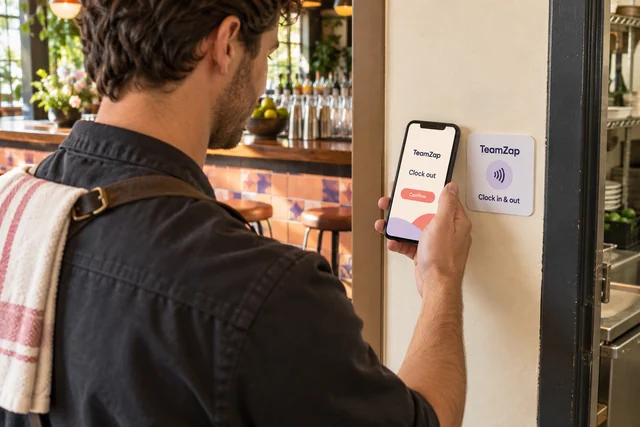
Open shifts & swap approvals
Someone cannot make Friday. Give cover a clear route.
Post an open shift with the role and times you need. Staff view it in the app and submit a claim. You review the request and approve who takes the shift. A swap between colleagues also needs manager approval.
Copy a previous rota or use shift templates for the next week. Scheduling checks flag issues such as overlapping shifts, approved leave and short rest periods as you add or change shifts.
Explore Rota & Scheduling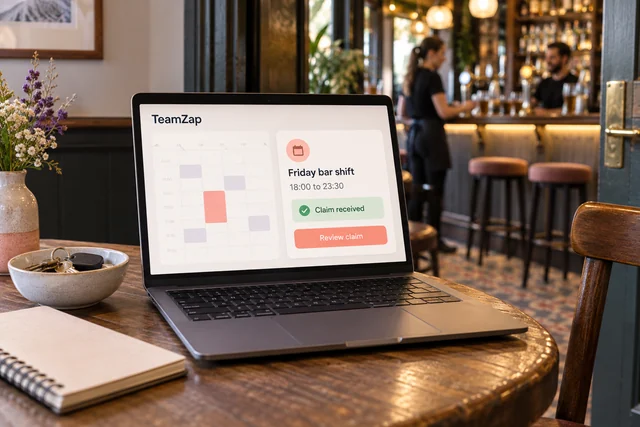
Checklists & staff notices
Keep the closing routine available to the person doing it.
Assign a checklist for your own opening or closing procedure. Put the steps in the order your team follows, then review what has been marked complete and what still needs attention.
When the procedure changes, publish a workplace notice. Staff on later shifts can read the update and acknowledge it where required. Managers can follow up on outstanding responses.
Explore Checklists & Onboarding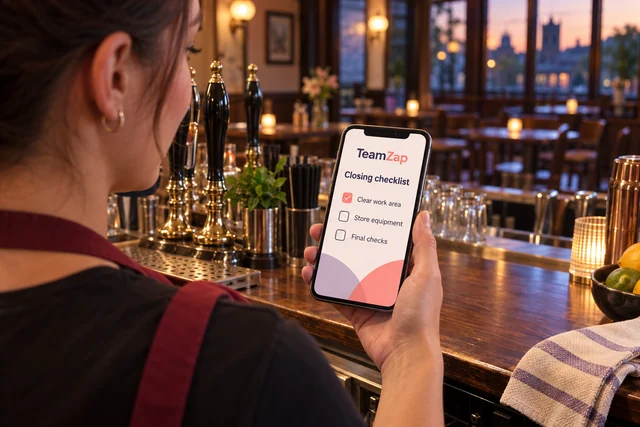
Balances, calendars & decisions
Make a holiday request easier to answer than a message in the group chat.
Staff check their recorded annual leave entitlement and remaining balance, then request the dates in TeamZap. Review the leave calendar and the request before making your decision.
The approval or decline has a record. Approved leave is included in scheduling checks when you add or change shifts, and you can arrange any cover through the rota.
Explore Leave ManagementTimesheets & payroll preparation
Bring the hours you approve into payroll preparation.
Review starts, finishes and breaks against the rota, resolve discrepancies and approve timesheets. Use attendance and labour cost reports to understand the period before preparing the payroll export.
Keep pay period adjustments with the preparation process. TeamZap organises reviewed information for payroll; payments and statutory filing happen through your payroll process.
Explore Payroll Preparation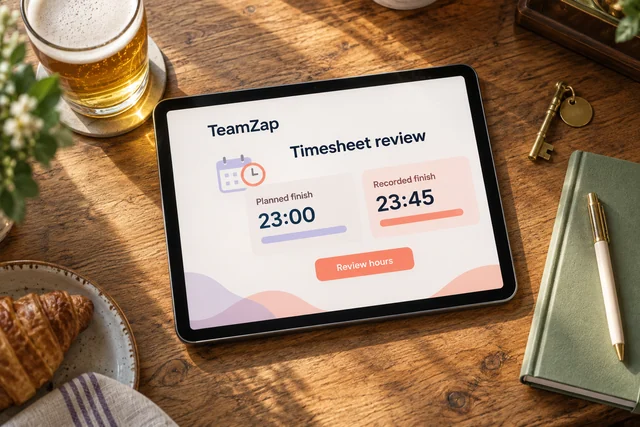
Joining tasks & HR documents
Give a new team member more than a quick introduction.
Create the employee record, assign the documents they need to sign and set up joining tasks around your pub's process. Keep contracts, policy versions and signature status with the person.
Use the staff app for published shifts, messages and notices. Your new colleague has somewhere to check the next shift and the latest update after their first introduction.
Explore HR DocumentsA bartender drops out before a busy evening. How do I offer the shift?
Create an open shift with the required role and times. Staff can see it in the app and claim it. Review the person and the arrangement before approving the claim. A claim does not automatically become an agreed assignment.
Two colleagues have agreed a swap between themselves. Can I still approve it?
Yes. Staff submit a swap request in TeamZap and a manager reviews it. This keeps the request separate from the approved change, with the rota as the place to check the working plan.
Closing went past midnight. How do I review the actual hours?
Compare the attendance start, finish and breaks with the scheduled shift. Resolve any discrepancy and approve the timesheet before payroll preparation. Review the recorded event, including the date, rather than assuming the planned finish was the actual finish.
Can TeamZap flag a late finish followed by an early shift?
Scheduling checks include rest periods and overlapping shifts when you add or change a shift. Managers review the warning and arrange the rota. These checks support planning; they do not replace your assessment of working arrangements.
How do I know which closing tasks still need attention?
Assign a checklist using your own closing procedure. Review the recorded task progress and follow up with the person responsible. A completed checklist records a staff response; it is not independent verification of every task.
A procedure changed after the early team left. How do they receive it?
Publish a workplace notice so the update is available when colleagues next check TeamZap. Require acknowledgement where needed and review outstanding responses. Use direct or group messages for the conversation around the change.
What does geofencing mean at our pub?
It is a virtual boundary around your workplace, set using its location and a radius. At clock in, TeamZap compares the available phone location with the boundary. The report shows inside, outside or not checked.
An outside result gives you a reason to review the record. It does not block the clock in or prove the employee's identity.
Can staff see their holiday balance before asking for a weekend off?
Yes. Staff can check their recorded entitlement, used leave and remaining balance in the app, then submit dates. Managers review the request and calendar, approve or decline it, and organise any cover needed.
Does TeamZap pay our employees?
TeamZap helps prepare reviewed hours, pay periods, adjustments and exports. Your payroll process handles employee payments and statutory filing. Resolve attendance questions before exporting the information.
One HR platform for your pub or bar
Get the next busy night organised.
Give staff a simple way to clock in, check shifts and request changes. Keep cover decisions, closing tasks and reviewed hours in one HR platform.
Create your free accountFree during our introductory period. No payment card required. If we introduce pricing, we will tell you well in advance.