TeamZap / HR software for care homes
Care home HR that brings every shift together.
Day teams, night teams and weekend staff all need a clear plan. TeamZap is an HR platform for care homes that brings rotas, annual leave entitlements, holiday requests and shift cover together with NFC attendance, training records and employee paperwork. Staff manage everyday requests through the app, while you stay in control of leave decisions and cover approvals.
Free during our introductory period. No payment card required.

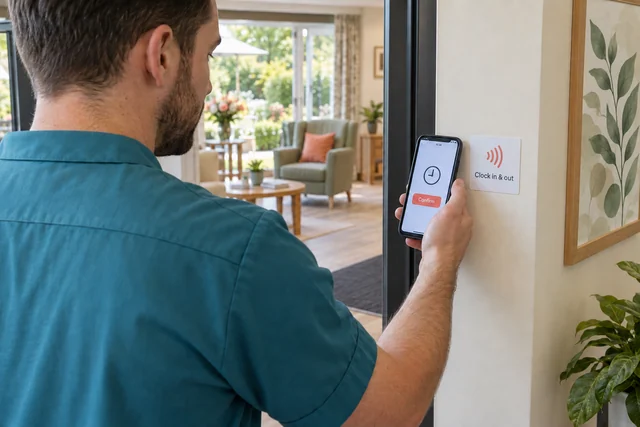
NFC attendance
Make clocking in simple at every shift change.
Place a square NFC sticker at your staff entrance. Employees tap it with a compatible phone, open the clock page and confirm. They can also clock in and out through the TeamZap app and record their breaks.
Managers review the recorded starts, breaks and finishes in the timesheet. When someone stays beyond their planned finish, those attendance records help you check the hours before approving them for payroll preparation.
Explore AttendanceAnnual leave & shift cover
Make annual leave easier for staff and managers.
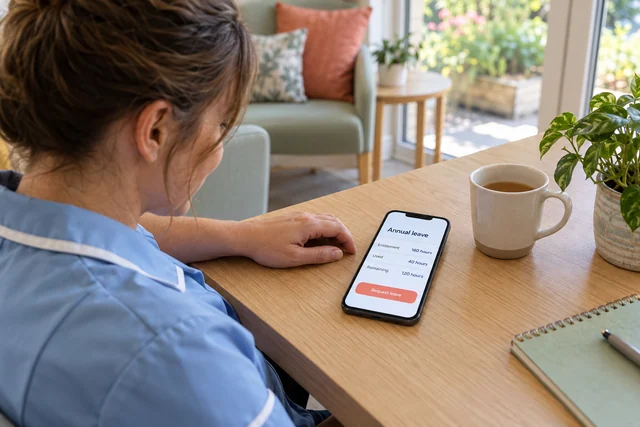
Clear annual leave entitlements
Keep each employee’s annual leave entitlement, leave used and remaining balance together. Staff can check their allowance in the app before choosing their dates, and managers have a clear record to refer to when reviewing requests.
Annual leave requests from their phone
A carer can request time off without waiting to catch you in the office. Review the request, the employee’s balance and the leave calendar, then approve or decline it in TeamZap. The dates and decision stay in the leave record, with approved leave included in rota checks.
Shift cover with your approval
When annual leave creates a gap, post an open shift for staff to view and claim in the app. Review the person and arrangement before approving the assignment. Staff get a clear route to offer cover, and you decide who takes the shift.
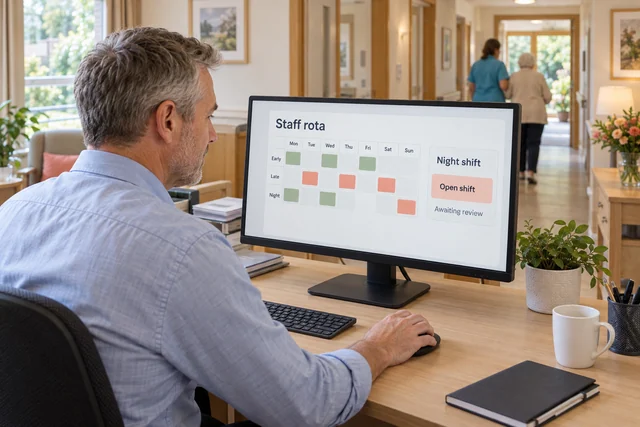
Rota planning & shift cover
Organise cover for planned leave and unexpected absence.
Start from a previous rota or shift template, then adjust the people, times and roles for the week ahead. TeamZap checks for issues such as overlapping shifts, approved leave, rest periods and skills mismatches as you add or change shifts.
If someone calls in sick before a night shift, use the open shift workflow to organise cover. Staff can also request swaps for you to review. You decide the staffing and role requirements for your home, while TeamZap keeps the rota and approved changes organised.
Explore Rota & Scheduling
Training & qualifications
See whose training records need attention.
A training renewal needs attention. A certificate is missing from a staff file. Use TeamZap’s training matrix to review the records across your team and identify where to follow up.
Keep courses, sessions, qualifications, certificates and expiry dates together. When preparing for a staff review, you can find the recorded evidence and organise the next training step from the same HR platform.
Explore Training & QualificationsStaff documents & induction
Know what is outstanding before a new carer starts.
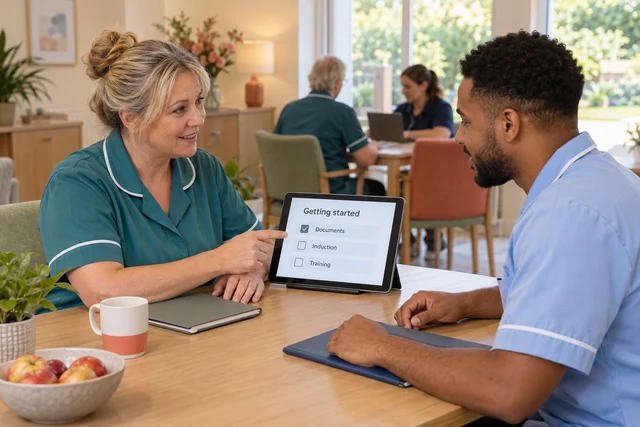
Bring the employee’s details, document package and joining tasks into one process. Prepare staff paperwork from templates, request electronic signatures and see which documents are still awaiting completion.
Assign an onboarding checklist for the tasks your home needs, such as collecting documents and arranging an induction. Review progress and follow up on unfinished items. Keep qualifications and training records with the employee as they settle into the team.
Explore HR DocumentsMessaging & the staff app
Give every shift a place to find important staff updates.
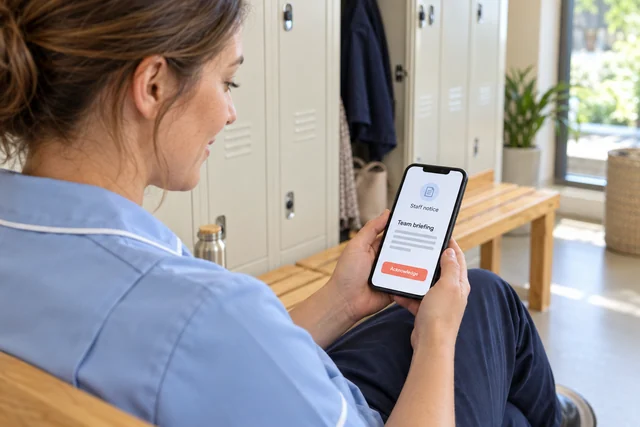
An update shared in the morning needs to be available to the people working that evening and over the weekend. Publish announcements and notices in TeamZap, alongside direct and group messages for staff conversations.
For notices requiring acknowledgement, managers can review the recorded responses and follow up with the people still outstanding. Staff can find their shifts, request annual leave and read workplace updates through the same mobile app.
Explore Messaging & NoticesWhat does geofencing mean for staff clocking in at our care home?
Geofencing is a virtual boundary around your workplace. You set the care home’s location and a radius around it. When someone clocks in, TeamZap compares the available phone location with that boundary and records whether it was inside, outside or not checked.
Managers can review that location context alongside attendance. An outside result does not block the clock in, and a location check does not prove who is holding the phone. It gives you more information when reviewing a record.
Someone calls in sick before the night shift. How can I organise cover?
Post the gap as an open shift for employees to view and claim through the app. Review the claim and the person’s suitability before approving the assignment. Staff can also request a shift swap for a manager to approve. The agreed change stays connected to the rota, giving the team a clear record of who is scheduled.
How can I see which staff training records need renewing or completing?
Use the training matrix to review the information recorded for your team. Check qualifications, certificates and expiry dates to identify missing evidence or renewals that need attention. Keep courses and sessions in the training area so you can organise follow up. Your managers set the requirements for each role and assess the evidence.
A new carer is joining. Can I see what they still need to complete?
Create the employee record, review missing profile information and assign the relevant documents and onboarding checklist. Signature status shows the paperwork still outstanding, while checklist progress shows which joining tasks have been marked complete. This gives you a focused list for the next conversation with the starter.
How do I keep an updated staff policy available to all shifts?
Keep the policy document and its versions in TeamZap. Request an electronic signature where needed, and publish a notice to make staff aware of the update. A notice can require acknowledgement, with responses available for managers to review. The document signature and the notice acknowledgement remain separate records.
Can staff see their annual leave entitlement and how much they have left?
Yes. TeamZap keeps the employee’s recorded entitlement, leave used and remaining balance together. Staff can check their allowance in the app when preparing a leave request. Managers can review the balance as part of the decision, so both sides have a clear record to work from.
Several carers want the same week off. What can I review before deciding?
Review the leave calendar and each employee’s remaining balance before approving or declining the requests. Once leave is approved, it is checked when shifts are added or changed. Arrange any cover your home needs through the rota and open shift process, reviewing staff claims before confirming assignments.
How do I prepare staff hours for payroll when actual finishes differ from the rota?
Review recorded attendance and breaks against the planned shifts, resolve discrepancies and approve the timesheets. Prepare the pay period, check relevant allowances and deductions, then lock and export the reviewed information. TeamZap supports the preparation and handover; employee payments and statutory filing remain in your payroll process.
We manage more than one care home. Can I review workforce information by location?
Organise rotas by location and use location reporting to review recorded hours and labour costs. People and training records support the wider workforce review. Export relevant reports for your management discussion, then investigate the records behind any figures that need attention.
Can I track induction and other staff administration tasks?
Create or adapt a checklist for your home’s process and assign it to the relevant employees. Managers can review recorded progress and follow up on unfinished tasks. Onboarding and offboarding checklists give joining and leaving processes a consistent set of administrative steps.
What can carers and other staff do from their phones?
The TeamZap staff app lets employees check published shifts, clock in and out, record breaks, request annual leave, view open shifts, request swaps and read messages and notices. Managers review the requests that need approval, while staff have one place to check the agreed plan.
One HR platform for your care home
Give your care team a clearer working day.
Give staff a clear leave balance and a simple way to request time off. Give managers an organised way to review holidays, arrange shift cover and manage the records behind every working day.
Create your free accountFree during our introductory period. No payment card required.
If we introduce pricing, we will tell you well in advance.