TeamZap / HR software for cafes
The first coffee should not come with a morning of staff admin.
Early starts, a small team and a busy counter leave little time for chasing shifts and holiday messages. TeamZap is an HR platform that brings your cafe's NFC attendance, rota, leave and staff updates together. Employees check their shifts and requests on their phones. You keep the working week organised.
Free during our introductory period. No payment card required. If we introduce pricing, we will tell you well in advance.

NFC & mobile clocking
Make clocking in part of opening up.
Put a flat square NFC sticker by the staff entrance. A barista taps it with a compatible phone, opens the clock page and confirms. Staff can also use the app to clock in, clock out and record breaks.
An early start or a longer close belongs in the attendance record. Review the hours against the rota before approving timesheets, with geofencing available to add location context.
Explore Attendance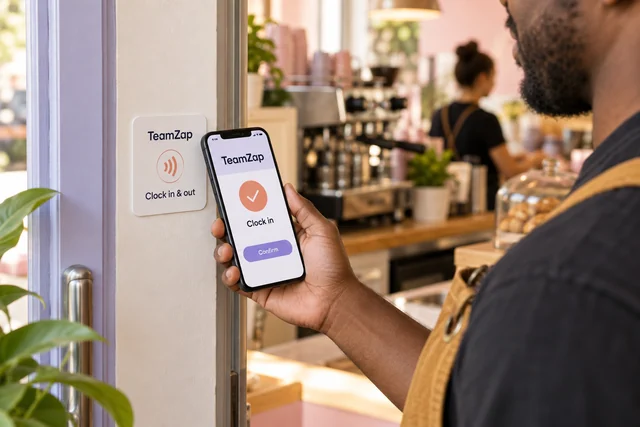
Templates, published shifts & cover
Keep the familiar rota. Change what this week needs.
Copy a useful previous week or start from shift templates. Adjust the people, times and roles for this week's opening pattern. TeamZap checks for approved leave, overlapping shifts and other scheduling issues as you add or change shifts.
Publish the rota for staff to check in the app. If someone cannot work a shift, a swap request or open shift claim gives you a clear decision to review.
Explore Rota & SchedulingEntitlements, balances & requests
Let a leave balance answer the first question.
Staff can see their recorded annual leave entitlement, used leave and remaining balance before asking for time off. They submit the dates in TeamZap, so the request is available for you to review.
Check the leave calendar when several people want the same week. Approve or decline the request in the system, then arrange any cover. Approved leave is included in checks as you plan shifts.
Explore Leave Management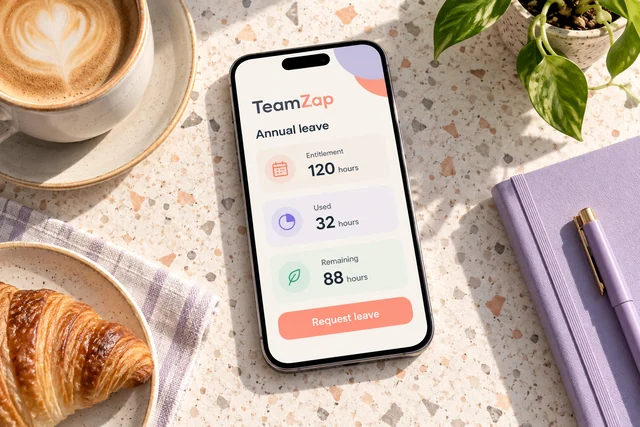
Checklists & joining tasks
Give the opening routine a place beyond someone's memory.
Turn your cafe's own opening and closing process into an assigned checklist. Staff can work through the steps and record progress. Managers can see what still needs following up.
For a new starter, assign joining tasks alongside employee details and document packages. Their first explanation has a written process to return to, and you can review paperwork and task completion.
Explore Checklists & Onboarding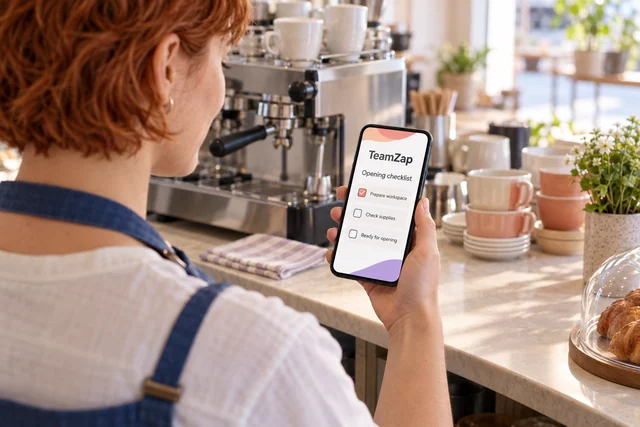
Messaging & notice acknowledgements
Keep a change available after the morning rush.
A revised opening time or staff procedure can get buried in a chat. Publish a notice in TeamZap, with acknowledgement where you need a recorded response. The later team can find the same update when they check the app.
Use direct and group messages for staff conversations. Keep published rotas, leave requests and policy documents in their own workflows so the decisions stay easy to find.
Explore Messaging & NoticesAttendance review & payroll preparation
Finish the pay period with reviewed hours.
Compare recorded starts, finishes and breaks with the planned shifts. Follow up on discrepancies and approve timesheets before preparing the payroll export.
Attendance and labour cost reports help you review the week. The export carries reviewed information into your payroll process, where payments and statutory filing are handled.
Explore Payroll Preparation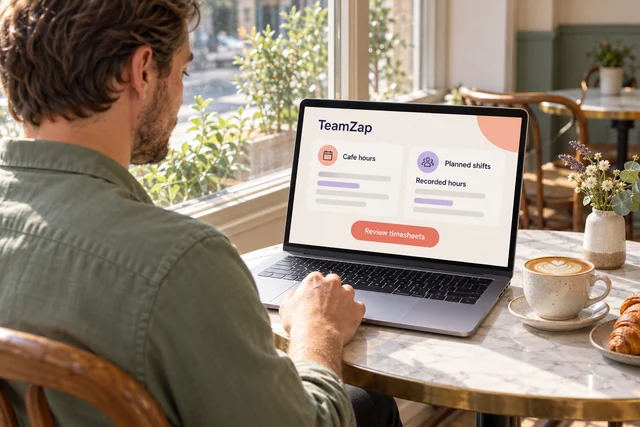
Our opening pattern is similar each week. Do I have to build every rota again?
No. Use shift templates or copy a previous week, then adjust the people, roles and times. Review scheduling checks as you add or change shifts and publish the finished rota for staff to view.
Someone cannot work the opening shift. How do I arrange cover?
Offer an open shift in TeamZap for staff to view and claim. Review the person and the arrangement before approving the assignment. Staff can also request a swap, with a manager making the final decision.
Does each barista need an NFC sticker?
The sticker is a workplace entry point. Put an activated square sticker where staff arrive and use it with compatible phones. Staff can also record attendance in the mobile app. Sticker availability is separate from the introductory software offer.
Can my team check how much holiday they have left?
Yes. The app shows recorded annual leave entitlement, used leave and remaining balance. Employees can submit dates for manager review. The request and the decision remain in TeamZap.
Two people want the same week off. What can I check?
Review the leave calendar and each person's balance before deciding. Approved leave is checked when you add or change shifts. You decide whether the cafe has the cover it needs and arrange that cover through the rota.
How can a new starter remember our opening routine?
Assign a checklist containing your own steps. Staff can refer to it and mark progress, while managers review unfinished items. Use employee records and document packages alongside it for joining paperwork and signatures.
What does geofencing do at a cafe?
It puts a virtual boundary around your workplace. Set the cafe's location and radius. TeamZap compares the available phone location at clock in with that boundary and reports inside, outside or not checked.
The result provides context for attendance review. It does not block an outside clock in or continuously monitor the employee.
The close took longer than expected. Can I review those hours?
Yes. Compare the actual recorded finish and breaks with the scheduled shift, resolve any discrepancy and approve the timesheet. Use the reviewed hours in payroll preparation instead of relying on the planned finish alone.
Can staff get notices without joining another personal group chat?
Staff messages and workplace notices are available in TeamZap. Publish an update and require acknowledgement where needed. Review the recorded responses and follow up on anyone still outstanding.
One HR platform for your cafe team
Bring a little more order to the working week.
Start with easy staff clocking. Add the rota, leave decisions and daily routines your cafe needs, with one app for the team.
Create your free accountFree during our introductory period. No payment card required. If we introduce pricing, we will tell you well in advance.