TeamZap / HR software for nurseries
A simple tap for staff. One HR platform for your nursery.
Give your nursery team a simpler way to start a shift, check the rota and request time off. TeamZap is an HR platform that brings NFC attendance, staff scheduling, annual leave, training records and employee paperwork together. You handle cover and approvals with the information in one place.
Free during our introductory period. No payment card required. If we introduce pricing, we will tell you well in advance.

NFC & mobile attendance
Make staff clocking part of the arrival routine.
Put an activated square NFC sticker at your staff entrance. A practitioner taps it with a compatible phone, opens the clock page and confirms. The TeamZap app also lets staff clock in and out and record their breaks.
Early starts and late finishes belong in the attendance record. When someone stays beyond their planned shift, you can compare recorded hours with the rota before approving their timesheet. Geofencing adds location context to help you review where a clock in was recorded.
Explore Attendance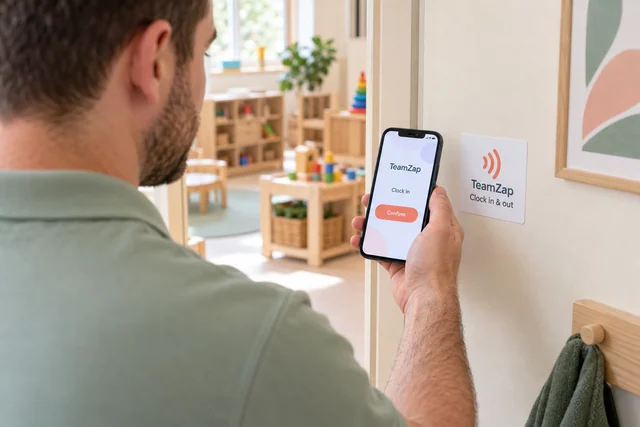
Rota planning & absence cover
A colleague calls in sick. Give cover a clear next step.
Post the uncovered shift in TeamZap for staff to view and claim in the app. You review the person and the arrangement before approving who takes it. A requested swap between colleagues also comes to a manager for approval.
For the week ahead, use a previous rota or shift templates, then set the people, times and roles you need. TeamZap checks for issues such as overlapping shifts, approved leave, rest periods and skills mismatches when you add or change a shift. Your managers decide the room allocations and staffing mix.
Explore Rota & Scheduling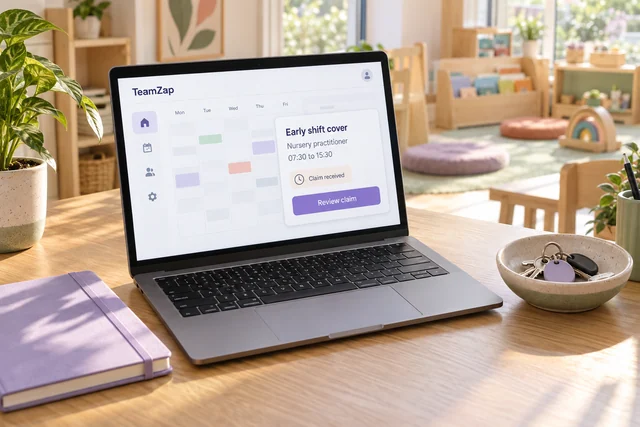
Entitlements, balances & requests
Plan around time off before it becomes a rota problem.
Let staff check their annual leave entitlement, used leave and remaining balance before requesting dates from their phone. A request has a place to go, and the decision has a record both sides can refer to.
Review individual balances and the leave calendar when several practitioners want the same dates. Approve or decline each request in TeamZap, then arrange any cover your nursery needs. Approved leave is included in checks when you add or change shifts.
Explore Leave Management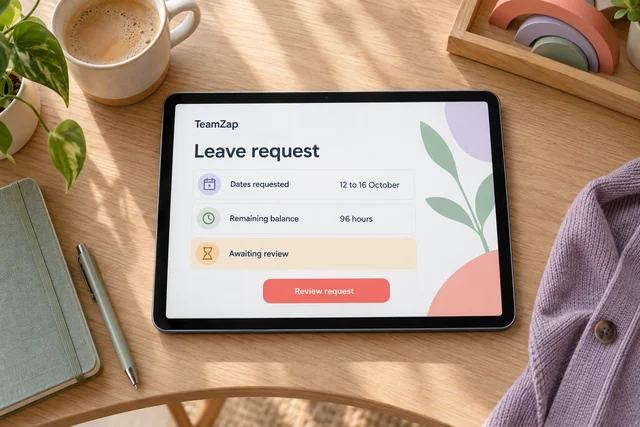
Qualifications & renewal records
Keep paediatric first aid and staff qualifications easy to review.
When a certificate needs renewing, you need to know whose record to look at and what evidence is held. Keep staff qualifications, certificates and relevant expiry dates together, including the paediatric first aid and other training records your nursery maintains.
Use the training matrix to review your team, identify missing evidence or upcoming renewals and organise follow up. Courses and sessions give planned training a place alongside the completed records. Your managers set the requirements and assess the evidence.
Explore Training & Qualifications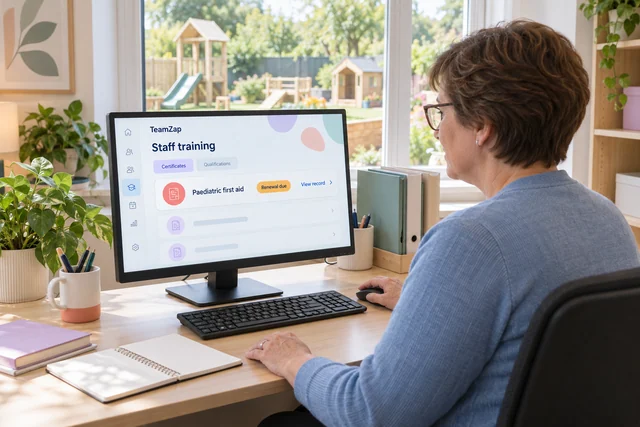
Staff documents & joining tasks
Welcome new practitioners with a clear induction plan.
A new colleague needs staff paperwork, an introduction to your procedures and a clear set of joining tasks. Create their employee record, assign the relevant document package and request electronic signatures.
Build an onboarding checklist around your nursery's process, such as collecting documents, introducing staff procedures and arranging induction activities. Review signature status, missing profile information and task progress. You can see what needs following up before treating the joining process as complete.
Explore Checklists & Onboarding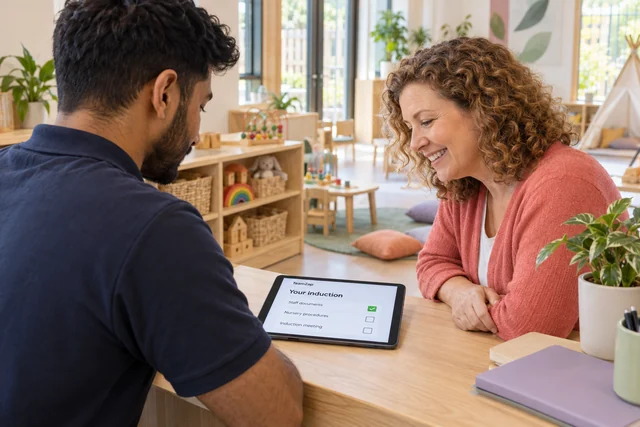
Messaging & acknowledgements
Keep early and late teams reading the same update.
A staff procedure changes, but the people on the early shift have already left. Publish a notice in TeamZap so the update is available when colleagues next check the app. Require acknowledgement where needed and review whose response is still outstanding.
Use direct and group messages for staff conversations. Keep policy documents and their versions in the HR record, with electronic signatures where required. The announcement, acknowledgement and signed document each have a clear purpose in your follow up.
Explore Messaging & Notices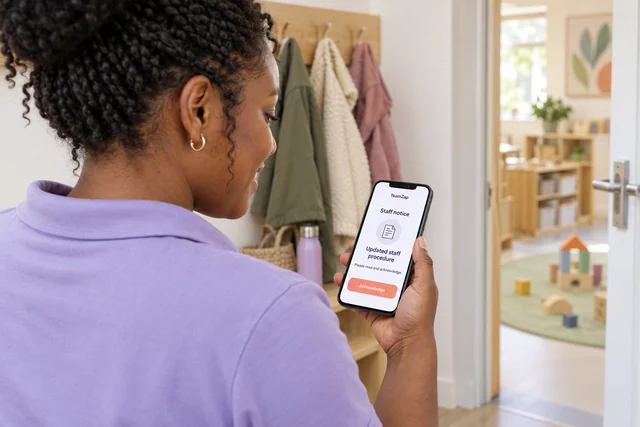
A practitioner calls in sick before opening. How can I arrange cover?
Create an open shift with the time and role you need. Staff view it in the app and submit a claim. Review their suitability and your nursery's staffing requirements before approving the assignment. The agreed cover stays on the rota; the software does not choose the person automatically.
Several staff want the same week off. What can I check before saying yes?
Review the leave calendar and each employee's remaining allowance, then make your decision in TeamZap. Approved leave is checked as you add or change shifts. You decide the staffing arrangements for the nursery and use the rota or open shifts to organise any cover.
Our team works different days and start times. Can everyone see their own shifts?
Yes. Set the times and roles on your nursery rota and publish it for staff to view in the app. Use templates or copy a previous week, then adjust it for the people working that period. Staff have a place to check their published shifts and request a swap for approval.
How can I see which first aid or other training records need attention?
Review the training matrix, qualifications, certificates and recorded expiry dates. Identify missing evidence or renewals that need following up, then organise the next training activity. TeamZap keeps the records accessible; your managers determine the training needed for each role.
A new practitioner is starting. How do I see what is still outstanding?
Use their employee profile, document signature status and assigned onboarding checklist together. These show missing information, paperwork awaiting completion and tasks marked as unfinished. Follow up with the relevant person and update the record as the joining process progresses.
We have changed a staff policy. Can I follow up on who has responded?
Keep the updated policy and its version in TeamZap, request signatures where needed and publish a notice to bring it to staff attention. Review notice acknowledgements and document signature status separately. This helps you identify the response still needed without treating a notice acknowledgement as a document signature.
What does geofencing mean for staff attendance at our nursery?
It is a virtual boundary around your workplace. Set the nursery's location and a radius around it. When someone clocks in, TeamZap compares the available phone location with that boundary. The Geofence report shows whether the result was inside, outside or not checked.
An outside result gives you something to review and does not block the clock in. A location check adds context to attendance; it does not prove who is holding the phone.
Someone stayed later than planned. How do I include the right hours in payroll?
Review their recorded finish and breaks against the scheduled shift. Resolve any discrepancy and approve the timesheet before preparing the payroll export. TeamZap organises the reviewed hours for your payroll process; employee payments and statutory filing happen through that process.
We run more than one nursery. Can I review staffing information by location?
Yes. Rotas and reports can be organised by location within one account, subject to account allowances. Use location reports to review hours and labour costs for the period. New accounts start with one location during the introductory period; contact TeamZap to discuss additional nurseries.
Does TeamZap decide room staffing or calculate child to staff ratios?
No. TeamZap supports employee rota planning, attendance and staff records. Managers decide room allocations, staffing numbers, qualification requirements and whether a person is suitable for an assignment. The software does not calculate child to staff ratios.
Is TeamZap for our employees or for children's records and parent messages?
TeamZap is the HR platform for your employees. Staff use the app for shifts, clocking, leave requests, open shifts, swaps, messages, notices and assigned checklist tasks. Your nursery's child records and parent communication remain in the systems you use for those purposes.
One HR platform for your nursery team
Start with simpler clocking. Bring your staff HR together.
Give your team an easy way to record a shift and request time off. Keep the rota, training evidence, staff paperwork and approval decisions organised in TeamZap, ready for the next working day.
Create your free accountFree during our introductory period. No payment card required. If we introduce pricing, we will tell you well in advance.