NFC clock in explained for employers
Understand how staff use an NFC sticker to clock in, what a tap records and what to check before introducing phone based attendance at your workplace.
By The TeamZap Team · · 4 min read

In this guide
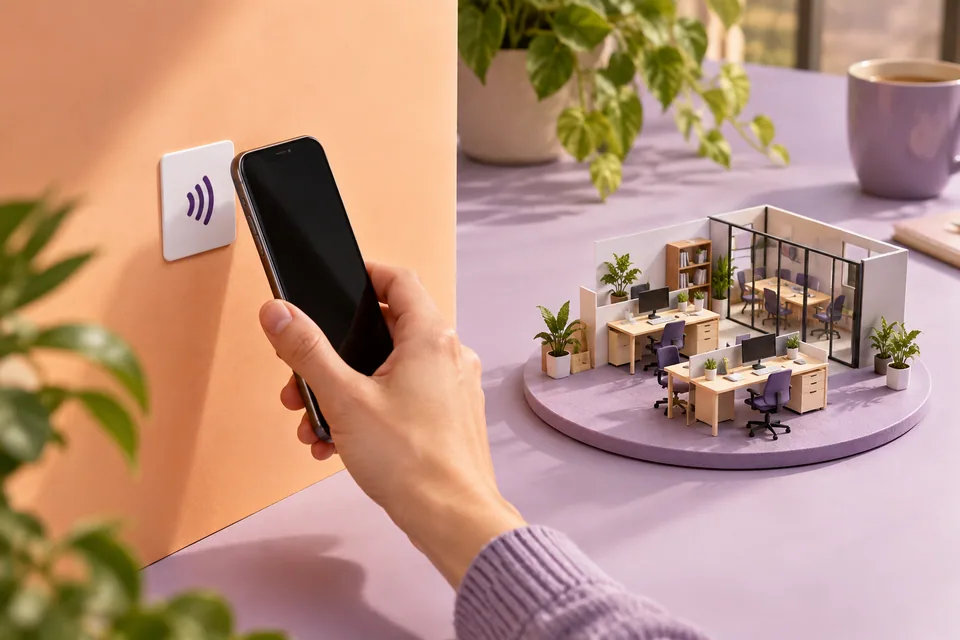
NFC clock in lets an employee start an attendance action by holding a compatible phone close to a workplace tag. In TeamZap, the tag opens the clocking journey and the employee confirms the action. The attendance record then gives a manager something to review alongside shifts and timesheets.
For staff, the useful part is the routine: arrive, tap, confirm and get on with the shift. For managers, it is having the record in the same system as the rota.
What is the sticker doing?
NFC means near field communication. A small tag inside the sticker can be read at close range by a supported phone. It provides an entry point to the attendance journey; the sticker itself is not a payroll terminal or a screen.
TeamZap’s square sticker can sit at a sensible staff entrance. Its location should make the action easy to remember without putting people in the way of a busy doorway. The tag must be activated and associated with the correct workplace before staff use it.
A tap is not the whole action. Staff should check what appears on their phone, complete any required sign in and confirm whether they are clocking in or out. Teach them to look for the result instead of assuming a phone vibration means the record has been saved.
A shift from arrival to finish
Consider a fictional café employee, Noor, starting a morning shift.
- Noor arrives at the staff entrance and taps the activated sticker with a supported phone.
- The phone opens the attendance journey. Noor checks the workplace and confirms clock in.
- During the shift, breaks are recorded through the relevant staff app controls.
- At the end, Noor confirms clock out and checks the result.
- The manager reviews the recorded hours and any exceptions before preparing timesheets.
The scheduled shift and attendance record serve different purposes. One is the plan. The other records the clocking actions. A manager still needs to review discrepancies, corrections and agreed changes.
What should an employer test first?
| Check | A useful trial |
|---|---|
| Sticker position | Staff can reach it comfortably without blocking an exit |
| Phone compatibility | Try the actual phone models your team uses |
| Workplace assignment | Confirm the test record belongs to the intended location |
| Staff access | The employee can sign in and complete the journey |
| Clock out | Test the end of the shift as well as arrival |
| Review | A manager can find the resulting attendance record |
Run the trial with a small group and a manager who knows how to review the result. A successful demonstration on one phone does not answer every staff member’s setup question.
What if someone cannot tap?
Give staff a clear alternative and a contact for help. TeamZap also supports clocking through the employee app. If an employee has a device issue or an incomplete record, use an agreed correction process instead of treating the technical problem as proof of absence.
A short staff instruction is usually more useful than a long policy at the door: “Tap the sticker, check your workplace, confirm your action and check that it has completed. If something goes wrong, tell the shift manager.”
Keep personal or employment details out of the sticker itself. The workplace notice can explain how attendance information is used and where staff can ask questions.
Does NFC prove a whole shift was worked?
An attendance action is evidence to review, not a guarantee of continuous presence, the work completed or the person’s conduct. Do not describe a simple tag as fraud proof. Phone location can provide additional context where available, but it also has limitations.
Read geofencing for staff attendance for an explanation of location results. If you are deciding how to organise several workplaces, compare NFC and geofencing by working scenario.
Put the routine into practice
Start with one entrance, a small trial and a written correction route. Review the first week’s incomplete records to see whether staff need clearer instructions or the sticker needs moving.
Explore TeamZap attendance and the staff mobile app, then use the NFC setup checklist to prepare your workplace.
Frequently asked questions
Do staff need a separate NFC reader?
A supported phone reads the workplace sticker. Staff still need access to the TeamZap clocking journey and must confirm the action.
Does tapping automatically complete clock in?
In TeamZap, tapping opens the journey. The employee confirms the clocking action and should check that it has completed.